Updated Feb 2024 — contributors: James Maher and Jaymes Dempsey.
This quick guide defines handheld and tripod approaches for capturing city lights, people, and atmosphere after dusk. It frames practical expectations: faster decisions on settings, steadier technique, and sharper attention to where the light falls.
You’ll learn baseline shutter speeds, aperture ranges, ISO limits, and field tactics like where to stand and how to follow light. The goal is clear: keep images looking like real evenings with rich shadows, protected highlights, and honest color.
What to expect: sharper people shots, cleaner building files, controlled blur, and steadier exposure in high-contrast scenes. These tips are flexible — start with the settings here, then adapt for motion, light intensity, and distance.
Why City Streets Look Better After Dark
After sundown, lamps, neon, and shop windows remake familiar blocks into layered, dramatic scenes. Mixed artificial lighting adds color, depth, and separation that rarely exists in the day.
How artificial light sources transform everyday scenes
Lampposts, neon, and car headlights create contrast and color shifts that make ordinary scenes feel cinematic. Glowing signage and backlit silhouettes add a built-in narrative. A single frame can suggest movement, mood, and context.
What makes night shots harder than daytime work
Less light forces choices: slower shutter speeds or higher ISO, both of which risk blur or noise. Autofocus often hunts in low contrast, so focus strategy becomes as important as composition.
- Mixed lights boost drama but complicate white balance.
- Highlights near lamps can blow out quickly; exposure must be guarded.
- Accept that some images should stay dark to keep mood intact.
Essential Gear for Street Photography Night Shoots
Choose gear that stays small, fast, and reliable when light levels drop. A compact kit helps you move through crowds and react to brief moments without drawing attention. Prioritize items that keep files clean at high ISO and nail focus in low contrast.
Cameras that perform in low light
Look for high-ISO image quality, dependable low-light AF, and in-body stabilization to support slower handheld shutter speeds. Compact full-frame bodies or strong APS-C models balance size and noise control around ISO 3200–6400.
Fast, compact lenses for street work
Choose lenses with wide apertures. Aim for f/2.8 minimum; f/1.8 or f/1.4 is ideal if the glass stays compact.
- Focal lengths: 24mm/28mm/35mm for context and stability.
- Keep a 50mm f/1.8 as a light, versatile option for tighter frames.
Tripod, monopod, or handheld?
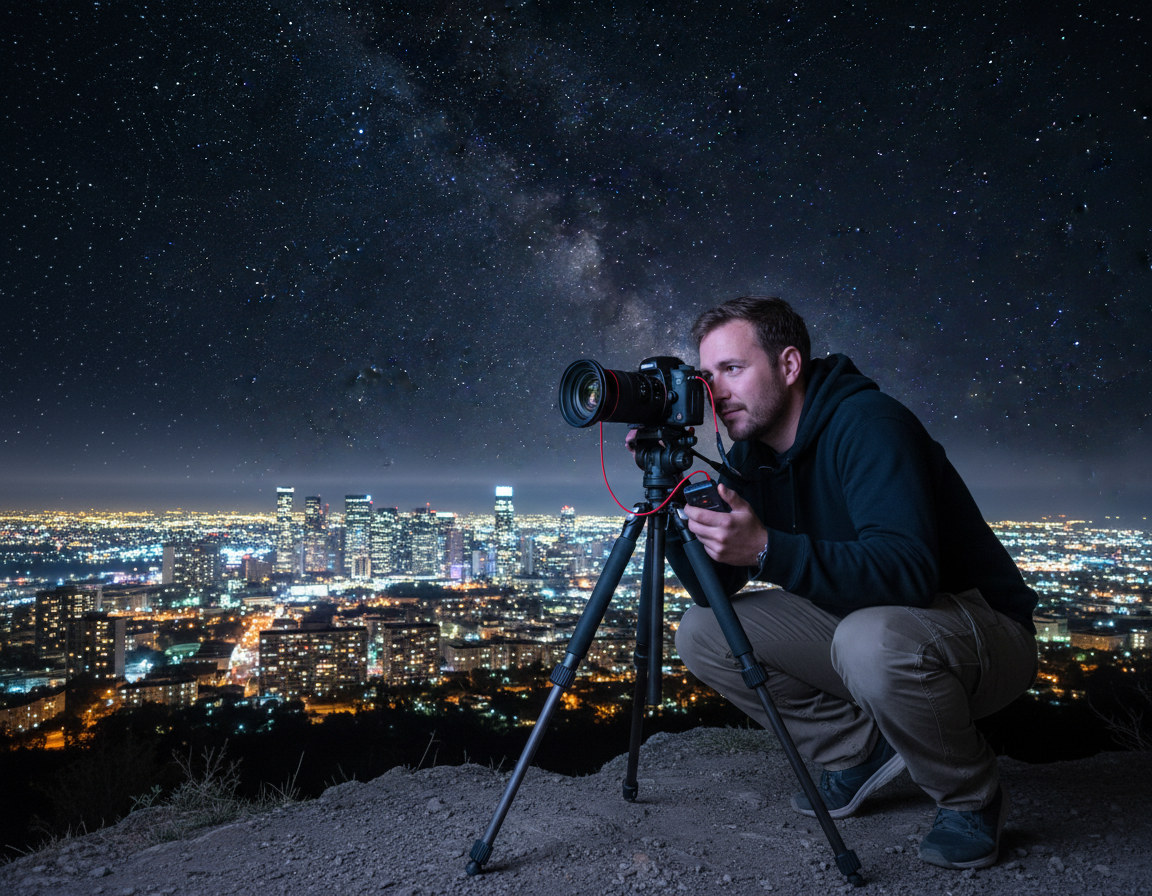
A tripod helps for static architecture, reflections, and intentional blur or light trails. But it can slow you in fast scenes. A monopod offers a good compromise for extra steadiness when shooting people or using longer glass.
Pack light and stay inconspicuous. The right camera and lens choices let you capture honest city scenes with less noise and more freedom.
Best Camera Settings for Night Street Photography
Good results begin with clear settings that protect shutter speed, control depth, and manage ISO.
Shutter speed choices that balance sharpness and motion
Handheld: aim for 1/60–1/160s most of the time. Increase to 1/250s in bright lamp or headlight pools to freeze motion.
People need faster shutters. For walking subjects, use 1/125–1/250s. For static buildings, slow down or use a tripod and drop ISO.
Aperture and depth of field tradeoffs
Wide glass (f/1.4–f/2) buys shutter speed and lower ISO but creates razor-thin focus. That raises missed-focus risk on moving subjects.
Stop to f/2.8–f/4 when light allows. These apertures increase hit rate and keep more of the scene sharp.
ISO guidance and baseline presets
Modern sensors handle ISO 3200–6400 well. A touch of grain can add mood; noise is not always the enemy.
| Scenario | Shutter | Aperture | ISO |
|---|---|---|---|
| Handheld general | 1/125s | f/2–f/2.8 | ISO 3200–6400 |
| Bright lamp/vehicles | 1/250s | f/2 | ISO 1600–3200 |
| Tripod — buildings | Bulb to 30s | f/5.6–f/11 | ISO 100–200 |
Quick decision hierarchy: protect shutter for people, then open aperture, then raise ISO. For static subjects, lower ISO and lengthen shutter instead.
Picking the Right Mode for Fast-Changing City Lights
Deciding which exposure mode to use is one of the fastest ways to react to shifting pools of light.
Aperture priority is the best walking-around choice for most urban shoots. You set depth of field and light intake while the camera adapts shutter and ISO as you move through brighter and darker zones.
Recommended Auto ISO setup:
- Choose a wide aperture that fits your style (fast glass helps).
- Enable Auto ISO and set a maximum you trust (commonly 6400).
- Set a minimum shutter speed based on subject: 1/250s for people or busy traffic, or drop toward 1/60s when you want mood and motion.
When to go Manual on a tripod
Manual mode shines when you can lock the camera down. Use a tripod for architecture, reflections, and long exposures to keep files clean and reduce noise.
Tripod baseline: ISO 100–200, aperture f/4–f/8, then lengthen shutter to taste. Check the histogram and bracket exposures when highlights or lamps create risk.
Workflow tip: Commit to one mode for a stretch. That reduces dial changes and lets you spend more time reading the scene and less time changing settings on the camera.
Metering and Exposure Compensation in High-Contrast Night Streets
Start with average or matrix metering. In high-contrast urban frames one bright lamp can bias a spot reading and ruin the exposure. Matrix metering looks at the whole scene and gives more reliable results for moving city light.
How the camera meters and why it matters
The camera aims for midtones. That pushes dark scenes toward over-bright results and can blow lamps and windows. Dialing negative exposure compensation corrects that tendency.
Practical exposure compensation guidance
Begin around -0.7. When the frame is mostly dark with a few intense lights, go to -2. This protects highlights, which clip faster than shadows and are harder to recover in RAW.
Let images look like night and use bracketing as insurance
Let photos stay dark to preserve mood and key detail. When the scene is static, bracket (-2 / 0 / +2) to capture both lamps and shadow detail for blending later. This is a reliable way to save tricky window or signage highlights while keeping the surrounding streets honest.
Focus Strategies That Work in the Dark
Sharp shots after dusk depend on deliberate focus choices. Choose modes that read motion, pick contrasty targets, and use brief bursts to raise your keeper rate.
Continuous AF, tracking, and burst shooting
Use continuous AF (AF-C / AI Servo) with tracking when you follow moving people. Brand systems vary: Nikon AF-C + 3D Tracking, Canon AI Servo with auto point selection, and Fuji AF-C + Wide/Tracking are proven options.
Burst mode helps because thin depth of field plus motion makes single frames a long shot. Short bursts create several chances to nail the exact shutter timing.
Manual prefocus and zone limits
Zone focusing at f/1.4–f/2 often fails — depth is too shallow for “set and forget.” Instead, prefocus on a lit patch of sidewalk or a doorway and wait for subjects to enter that plane.
Back-button focus and contrast targets
Assign focus to a back button to stop constant hunting when you recompose. Aim the AF at high-contrast edges: striped coats, sign typography, or lamp-post edges. These boundaries help the camera lock faster than soft faces in low light.
“Focus on contrast first, then on faces — the AF system needs something to read before it can track expression.”
| Use case | Focus mode | Focus area | Why it works |
|---|---|---|---|
| Moving people, variable distance | AF-C with tracking | Wide/Tracking | Keeps subjects in focus as they cross the frame |
| Close walk-by shots | AF-C + Flexible/Expanded spot | Flexible spot | More precise lock on jackets or faces |
| Planned arrivals | manual prefocus | Locked focus zone | Guards against AF hunting at wide apertures |
Quick guideline: wide area for distant scenes, flexible spot for near subjects, and back-button focus to reduce hunting. Make sure your camera is optimized before the moment arrives.
Find Better Photos by Following the Light
Hunt for usable light first; let the scene and people come to that glow. Start by locating a clear source of illumination, then wait for the right subject to enter the pool. This reverses the usual search-for-subject habit and raises your keeper rate.
Key urban light sources to watch
Reliable key lights: storefront windows, neon signs, street lamps, car headlights, and bright interiors near doors. Pick one and anchor your composition there.
Directional choices and chiaroscuro made simple
Side light adds texture and depth. Backlight creates silhouettes. Overhead lamps carve faces and shoulders with dramatic shadow. Aim for a clear gradient from bright to dark across the frame to build depth and focus.
- Move a few feet at a time to see how the glow wraps a subject.
- Watch backgrounds for distracting hotspots and reframe if needed.
- Remember: good light shifts fast, so plan short bursts and be ready.
“Find the light first, then wait — the city will give you the subject.”
| Light source | Effect | Best use |
|---|---|---|
| Storefront window | Soft frontal fill | Portraits and candid faces |
| Neon sign | Colored rim or accent | Stylized portraits and mood shots |
| Car headlights | Directional punch | Silhouettes and dynamic motion |
| Overhead lamp | Top-down modeling | Texture and chiaroscuro |
For more practical in-the-dark tips, study how pros place subjects into urban pools of illumination to craft stronger images with consistent results.
Shooting People and Nightlife Without Missing the Moment
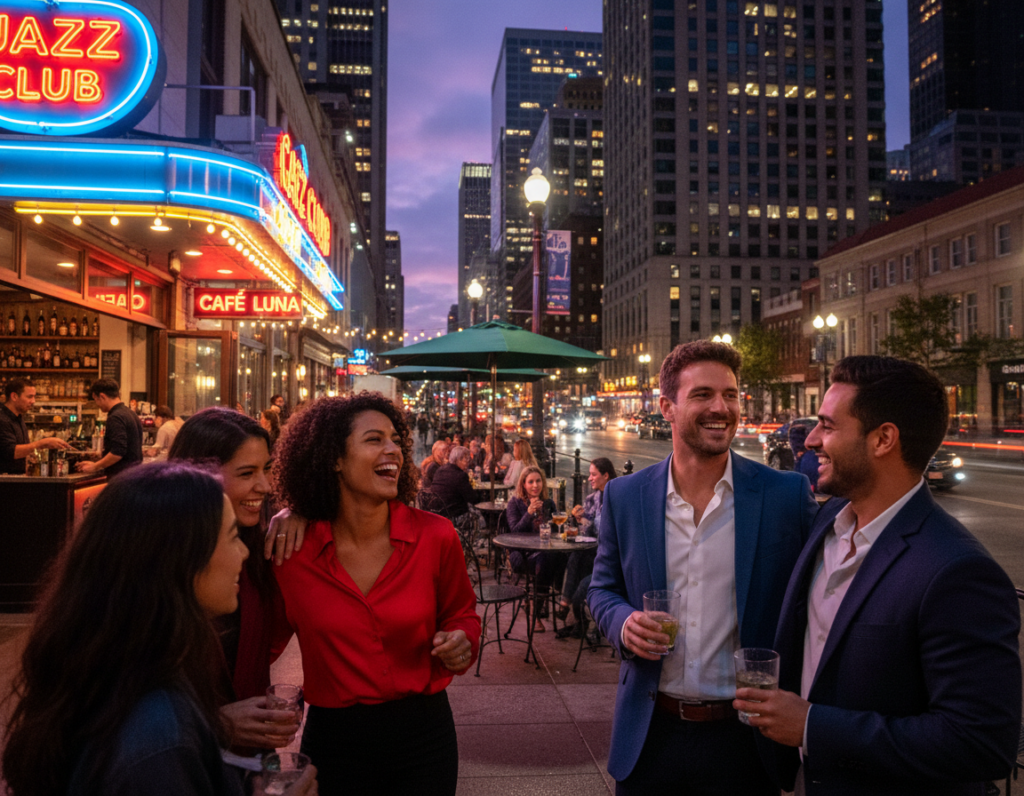
Place your camera where light falls and let people create the action for you. That approach lets you work calmly and raises your keeper rate. Pick entertainment districts, bar corridors, club lines, late-night food streets, or restaurant rows with strong window light.
How to find steady nightlife scenes
Preselect a lit area and wait. Busy corners and restaurant rows give repeated opportunities without constant chasing. This pacing keeps you ready to react and reduces wasted time.
When to get close and when to step back
Get close for faces and small gestures to make images feel like intimate moments. Step back to include glowing signage, traffic streaks, and architecture so the scene reads at a glance.
Take lots of shots to beat blur and shallow depth
Shoot bursts of 5–10 frames to cover blink, missed focus, and micro-blur. When subjects are farther away you can often use a slower shutter speed and still keep them readable. Make sure you vary distance and angle to capture context and emotion.
- Reliable locations: entertainment districts, bar rows, late-night food streets.
- Pacing tip: anchor in light and let people move into your frame.
- Respect: keep moving, don’t block sidewalks, read body language.
“Let the light pull the story together; patience makes better shots.”
Creative Motion and Blur With Slow Shutter Techniques
Slow shutter work splits into two families: tripod long exposures for clean trails and handheld slow shutter for gritty energy. Each gives a distinct look and requires different technique.
Long exposures on a tripod for trails and flowing crowds
Use a tripod and start around 1/8s to render people as soft ghosts. Longer times produce smoother trails and more graphic car lights.
For light trails, stabilize, pick a traffic line, and extend the exposure until headlights and taillights draw through the frame.
Handheld slow shutter for atmosphere and grit
Drop to 1/30–1/60s, brace your stance, and accept small subject blur. This keeps faces readable while adding motion blur that feels alive.
Panning to separate subject from background
Match the subject’s speed and keep them in the same spot in-frame. Shoot at 1/30–1/60s to blur the background while keeping the subject recognizable.
“Experiment quickly: most motion shots improve after several passes and small speed adjustments.”
| Technique | Start Speed | Gear | Result |
|---|---|---|---|
| Tripod crowd blur | ~1/8s | Tripod, remote | Soft ghosts, flowing figures |
| Light trails | Several seconds | Tripod, low ISO | Clean streaks from headlights/taillights |
| Handheld slow | 1/30–1/60s | Fast lens, steady stance | Gritty atmosphere, readable subjects |
| Panning | 1/30–1/60s | Handheld, tracking focus | Sharp subject, blurred background |
Try varied shutter speeds, review quickly, and iterate. For more creative approaches to low-light motion, read a practical guide on how to shoot after dark with creativity at slow shutter techniques.
Reflections, Rain, and Color for More Vibrant Night Streets
C search for darker glass and puddles — these surfaces mirror neon and window glow without washing out the tones. Reflections create layered frames that add depth and a doubled narrative to a single image.
Using puddles, glass, and metal to build layers
Look for wet pavement, bus-stop glass, storefront windows, and polished metal. These surfaces bend or repeat light, giving you foreground interest and a mirrored background at the same time.
Shooting in bad weather for mood
Rain amplifies color. Wet streets catch headlights and neon, umbrellas become compositional icons, and reflections increase contrast without extra gear.
- Rain cover for your camera
- Microfiber towel and lens hood
- Rocket blower to clear droplets
White balance tips for mixed sources
Shoot RAW and keep WB on Auto for speed. If you must deliver JPEG, try Fluorescent to tame green/magenta casts, or Tungsten to cool warm sodium light and make reds pop.
“Mixed lighting is often what makes a scene feel alive — use it, don’t erase it.”
Flash at Night: When It Helps and When to Skip It
Flash can be a powerful tool after dusk, but it changes the mood and the way people react. Use it to freeze motion, add catchlights, or lower ISO — but be mindful of how a burst of light alters the scene.
Natural light versus flash aesthetics
Available-light work preserves the city’s color and shadow. It keeps scenes moody and layered.
Flash images are punchy and high contrast. They can look clinical or cinematic depending on power and placement.
Balance ambient exposure with fill flash
Expose for the ambient background first — often slightly underexposed — then add low-power fill with the flash. This approach keeps the background visible while lighting your subject.
Try TTL at -1 to -2 stops, or manual at low output. Use a diffuser or bounce to soften the beam and avoid the harsh “deer-in-headlights” look.
Reduce confrontation and stay respectful
Flash attracts attention. Be selective: avoid blasting faces in dark, intimate settings and honor refusals immediately.
To lower confrontation risk, step back, use low-power fill, or bounce off nearby surfaces. Keep interactions brief and calm.
“Make sure the light helps the moment — not steals it.”
Final tip: Flash is optional. If you prefer a natural feel, raise ISO and follow available light. Use flash when you need to freeze action or shape a subject without sacrificing the scene.
Editing Night Street Photos for Clean, Realistic Results
Good edits start with a properly exposed capture — that saves time and keeps noise in check.
Why getting exposure right in-camera matters at high ISO
Underexposed files force you to lift shadows in post. That magnifies noise and smears fine detail.
Expose for the darker areas you care about and protect highlights from lamps and windows. This gives your RAW file more usable data and fewer surprises when you edit.
Noise reduction workflow and restoring texture with controlled grain
Shoot RAW and turn off aggressive in-camera noise reduction if it softens detail. Do cleanup selectively in a RAW editor first.
- Set correct exposure and white balance.
- Apply luminance and color noise reduction sparingly.
- If needed, use a slight Gaussian blur in Photoshop on problem areas only.
- Add controlled grain to restore texture and avoid a plastic look.
Final tweaks: contrast, color, and preserving highlight detail
Recover highlights before increasing global contrast. Clipped lamps and windows read badly when pushed later.
Tame mixed-light color casts without removing atmosphere. Keep neon and warm tungsten tones believable so your images feel authentic.
“Preserve highlight detail first; then shape contrast and color around those anchor points.”
| Step | Order | Tool | Why it matters |
|---|---|---|---|
| Exposure & WB | 1 | RAW slider / Temp Tint | Sets tonal base and prevents extra noise when lifting shadows |
| Noise reduction | 2 | Lightroom / Selective masks | Removes chroma and luminance noise while keeping detail |
| Texture/grain | 3 | Grain tool / Gaussian blur (local) | Restores natural film-like texture and avoids over-smoothness |
| Contrast & color | 4 | Curves, HSL | Final look, after highlights are secured |
Consistency tip: build a lightweight preset for a series of images so your edits stay efficient and coherent across a shoot. That saves time and helps your series read as a cohesive body of work.
Conclusion
Close your shoot by focusing on light first, then dial camera choices that save highlights and motion. Use a baseline that protects shutter speed for people, open the aperture when needed, and accept higher ISO as normal for low-light work.
Follow the light — pick a bright area and wait for subjects to enter it. Matrix metering with a negative bias keeps lamps from blowing out and helps your files look true to the scene.
Prioritize contrasty focus points, try back-button focus, and shoot bursts to boost keeper shots when depth of field is thin. Experiment with tripod long exposures, panning, and reflections in rain to add motion and mood.
Action plan: pick one neighborhood, give yourself time to adapt, and shoot with intention. These tips will improve your shots and help your images feel like honest, low-light work.